Before you begin
Permissions: All
Plans: All
Version: v5 (what does this mean?)
A bill of materials group (BOM group) is a list of parts that are associated with or make up an asset, like a recipe.
BOMs are used for assets with similar parts lists, allowing you to quickly access the list of parts that make up the asset. A BOM can be created once then applied to multiple assets, streamlining parts and supplies management. Add parts to a BOM group and then associate the BOM group with an asset.
In this article:
Create a BOM group
To create a BOM group:
Navigate to Supplies > Bill of Materials Groups and click New.
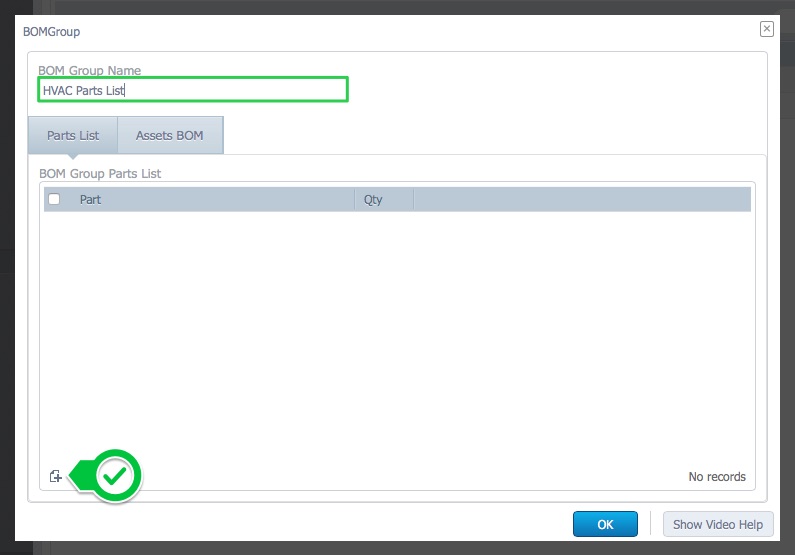
Add a BOM Group Name, and click the New button to add parts:
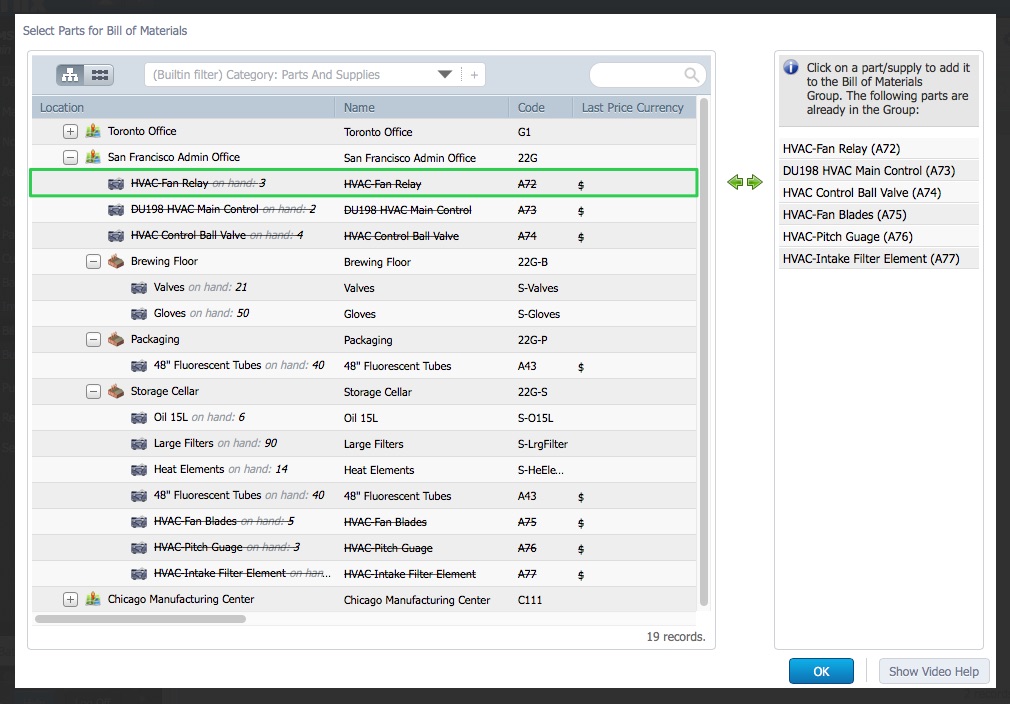
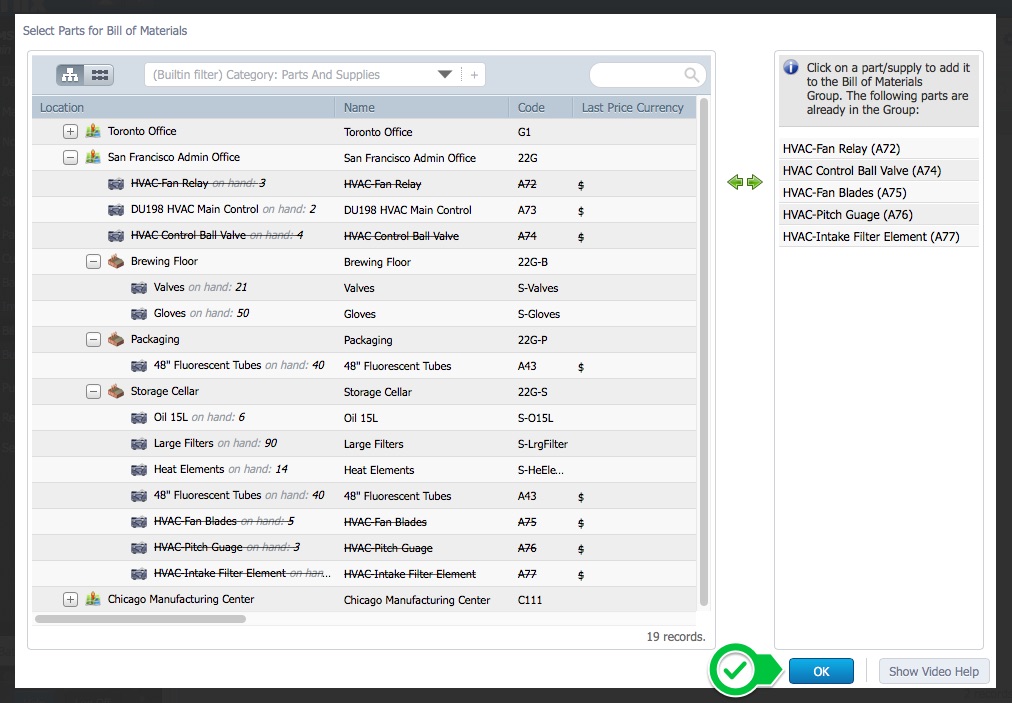
3. Select the parts:
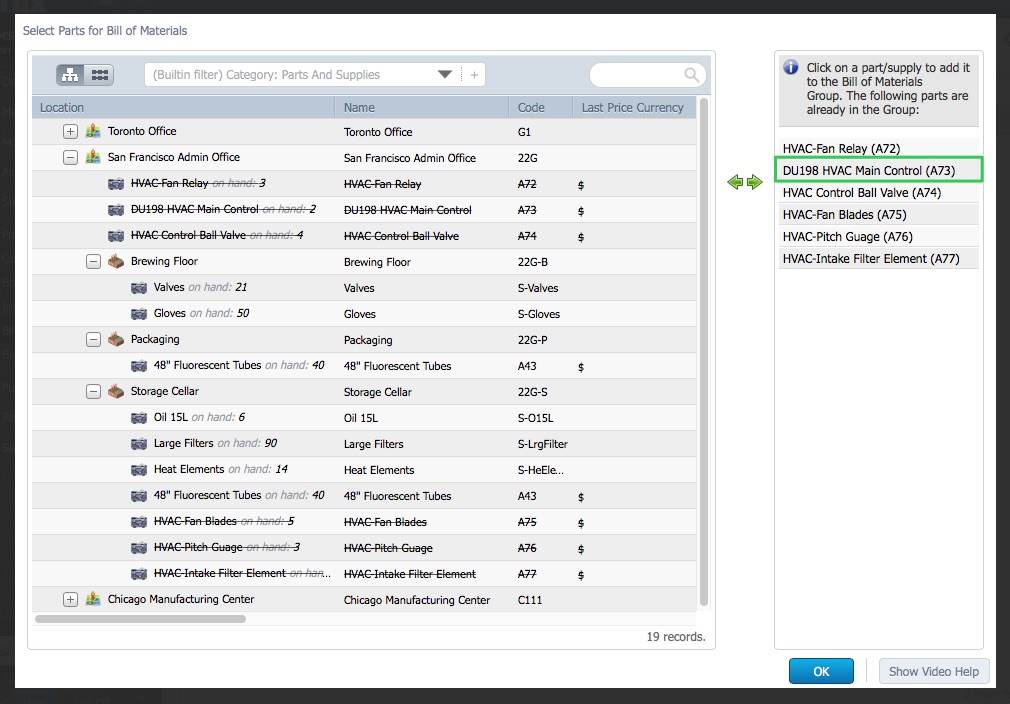
4. To remove a part from the BOM, select the part in the window on the right:
5. Click OK when the BOM is complete:
6. Add the number of parts required to the Qty fields and click OK:
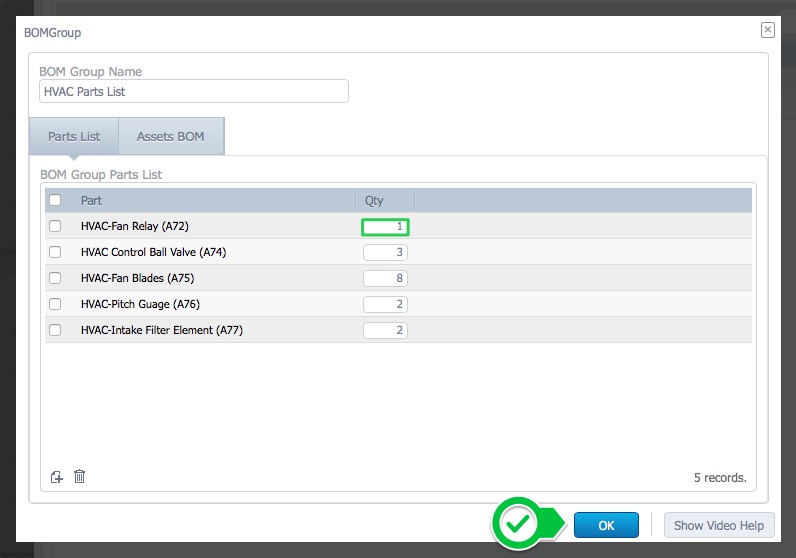
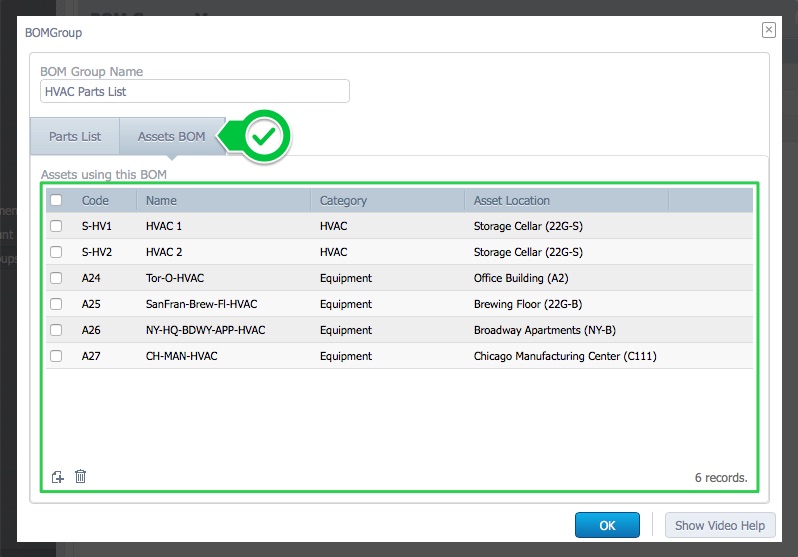
7. The Assets BOM tab list the assets associated with the BOM: